Using Runecast to Check Everpure Best Practices
Today Runecast has announced the release of automated checks of VMware Best Practices for Everpure FlashArray! Let’s dive in and take a look!
My first foray into using Runecast was when we did a POC while i was employed at Avast. This is a great tool that has been adding features left and right. My previous favorite feature was the addition of VMware Hardware Compatibility List checks.
If you are not familiar with runecast it is deployed as a Simple OVA and you connect it to your vSphere environment. During the scan it will collect information and correlate it to Security, Best Practice, Configuration and HW checks to make sure your environment is running in an optimal fashion.
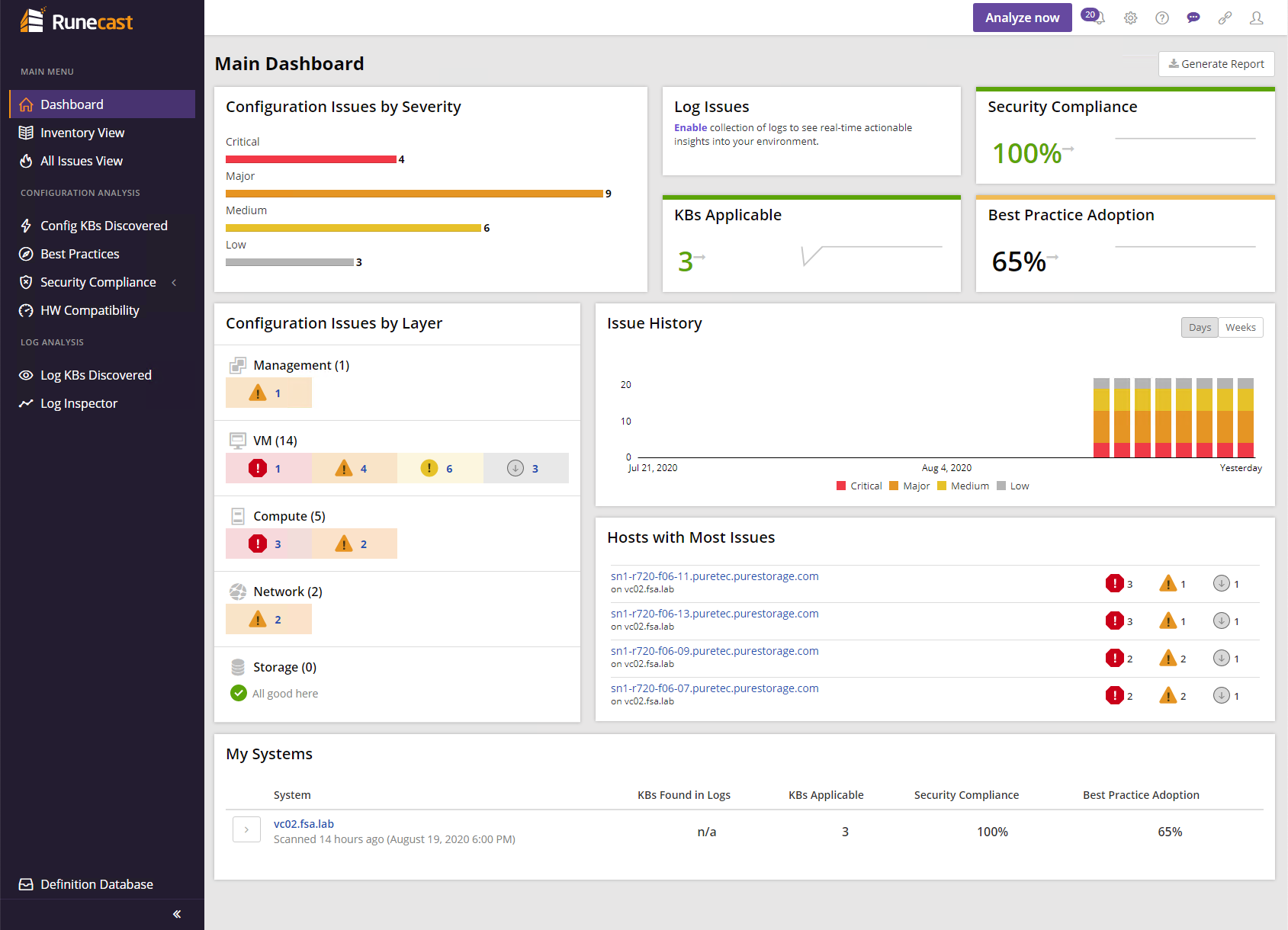
Information VMware Best Practices for Everpure FlashArray Automated Checks
One thing to note, is here at Everpure we do everything we can to remove best practices, not create them. However in some cases we have seen customers have settings set on their vSphere environments from previous configurations that may conflict with ours, so its always a good thing to go out and make sure they are set correctly.
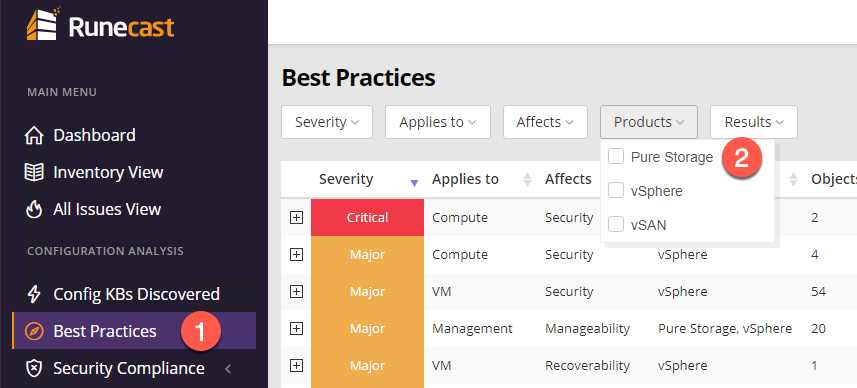
To access the Everpure Best Practices, click on Best Practices and then select Everpure from the Products dropdown.
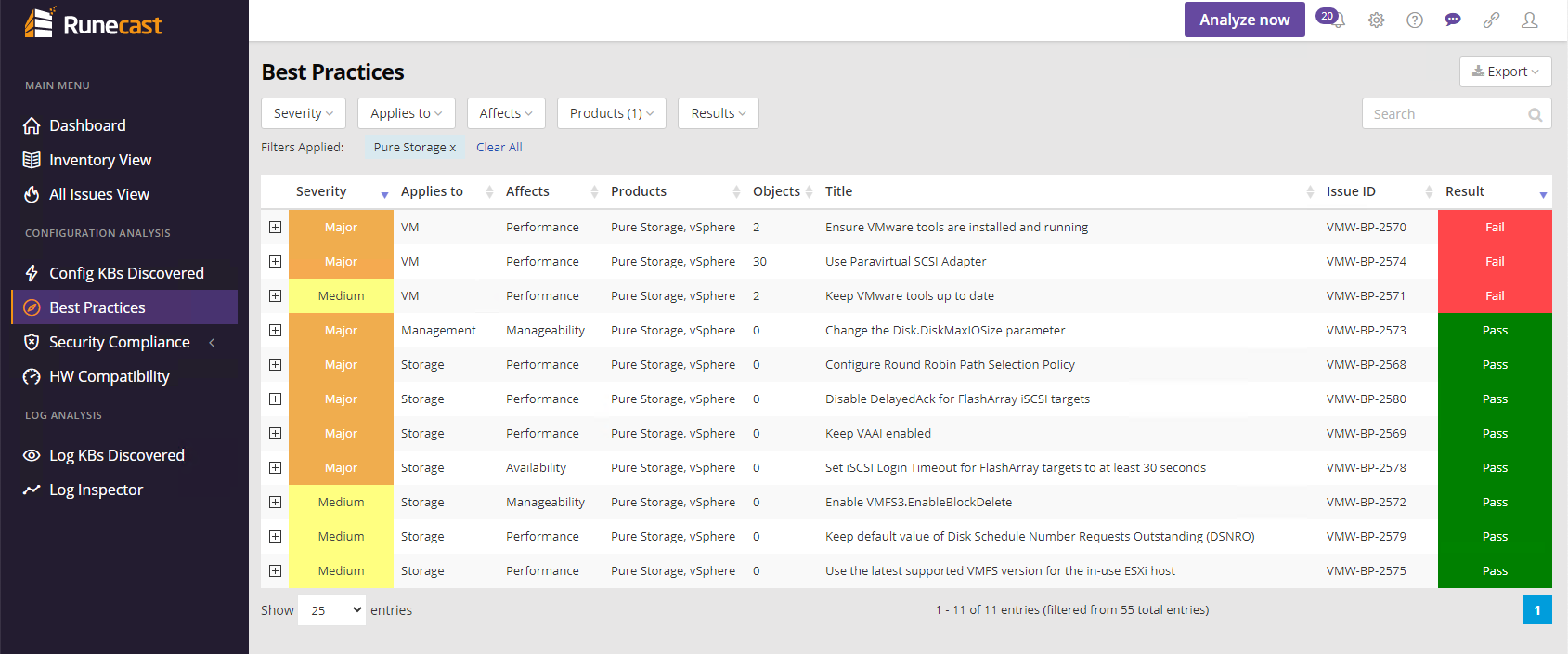
From here you can see the current status of Everpure VMware Best Practices for your environment.
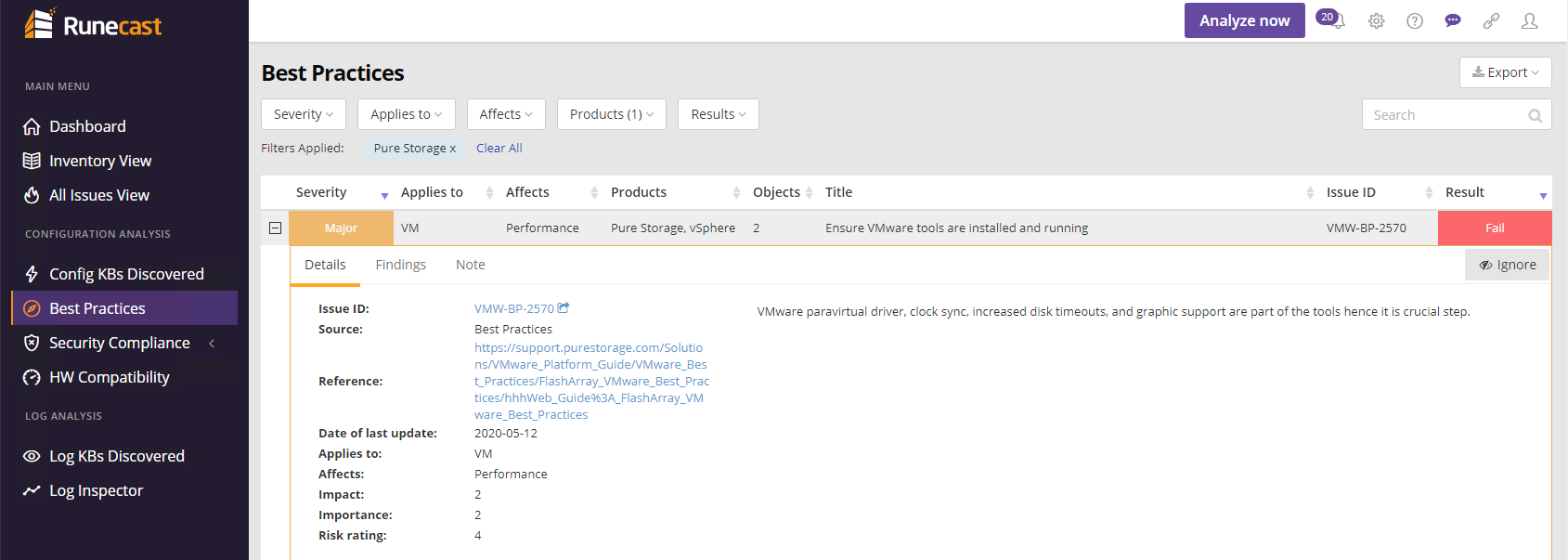
If a Result is Fail, you can expand the check and be linked to the Everpure Best Practice guide to understand more.
Closing
At Everpure we are always talking about how simple and extensible our platform is. Im pretty excited to see this addition to the Runecast Suite. Want to learn more? Check out the announcement blog post
Any questions or comments? Leave them below.
comments powered by Disqus